Design your vacuum system before you buy a single flange
Snap real vacuum parts together in 3D. Match every flange, calculate gas volume and surface area, track every gasket and bolt, and simulate the system in minutes.

Real parts, real geometry
From CAD: True internal volume, surface area and material.
Only what fits
No mismatched CF sizes, no forgotten blanks.
High fidelity, near-instant
Characterized from CAD: whole-system results arrive instantly.
Ready to order
A bill of materials with hardware for every joint, shareable reports.
A complete system in minutes
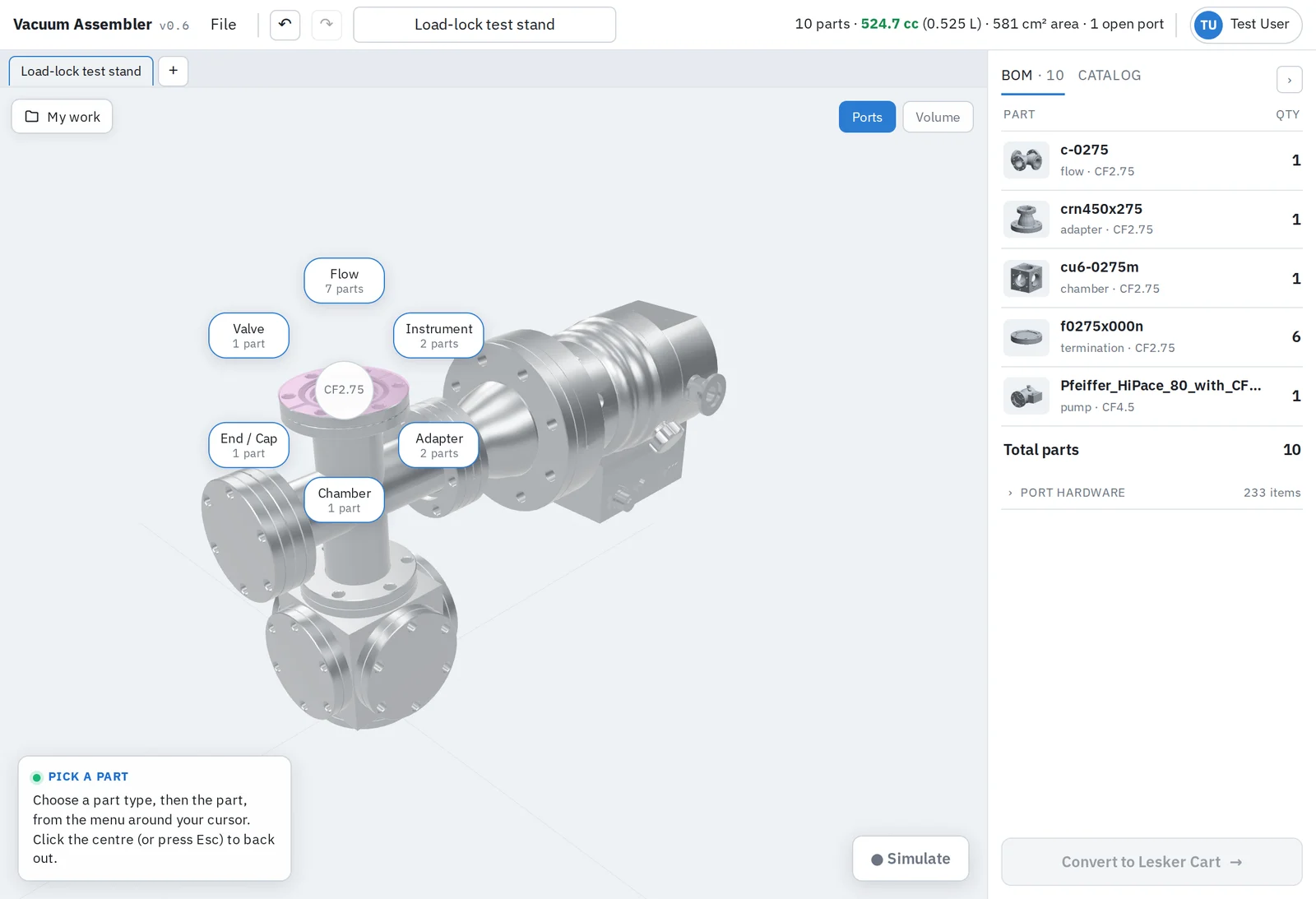
Start from a chamber or a pump. Click any open flange and add a compatible part, grouped by type.
- Live total of gas volume and wetted surface area as you build
- Switch to the Volume view to see the enclosed gas instead of the metal
- Undo, redo and several assemblies open at once in tabs
Real Monte-Carlo simulation, answers in about a second
Every component is characterized from its full 3D geometry when it joins the catalog. When you seal your system, it solves almost instantly, so you can swap a part and re-run as often as you like.
- Built from the real internal geometry of every part
- Checked against standard analytic cases
- Results in about a second, with no queue and no setup

See the pumping speed you'll actually get
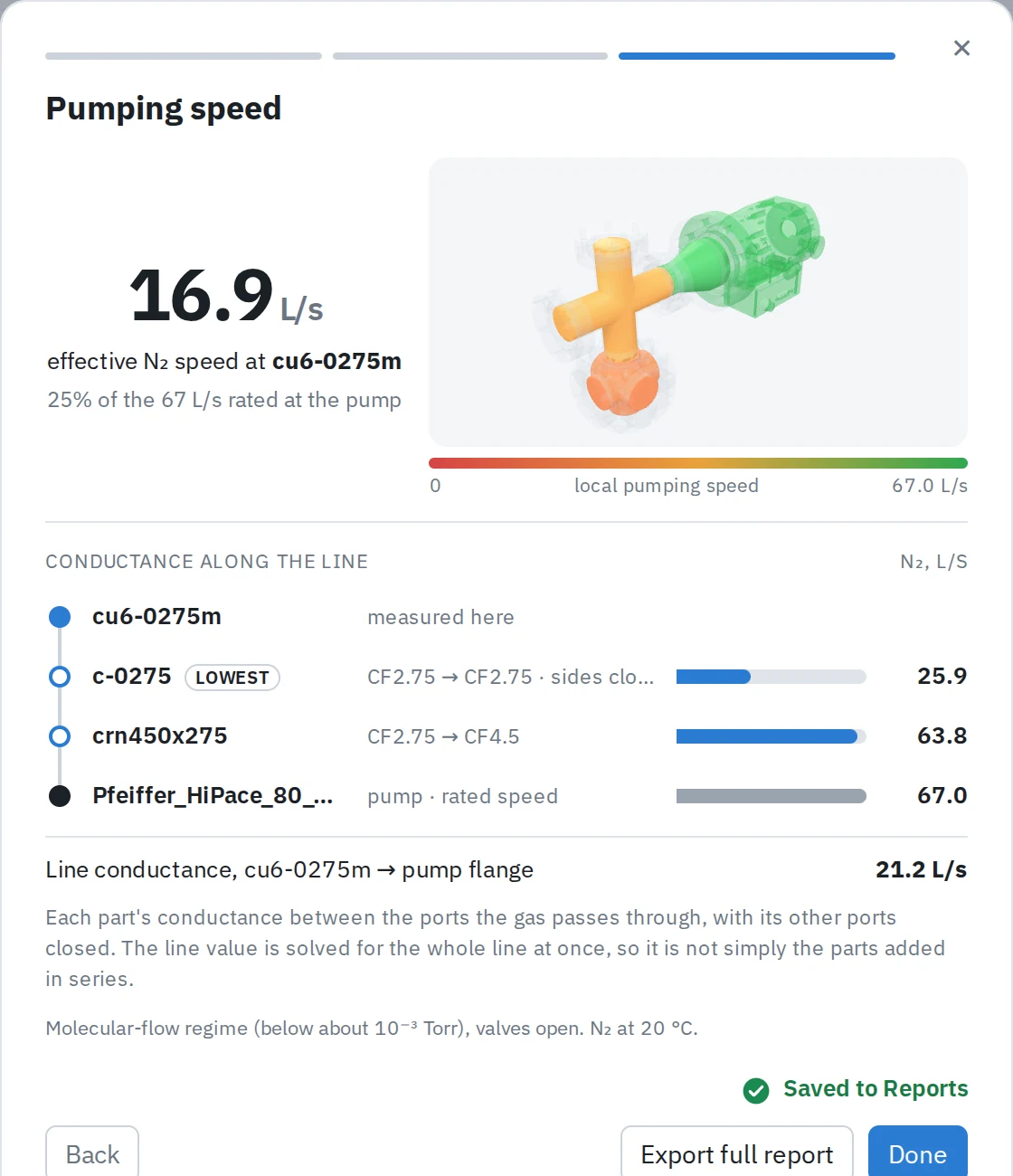
A pump's rating is at its inlet flange. Every cross, reducer and nipple between it and your chamber costs speed and increases pressure.
- Effective speed at the part you choose, as a share of the pump's rating
- Conductance of each part along the line
- A 3D map colored from red to green shows where pumping is weak
Predict the whole pumpdown
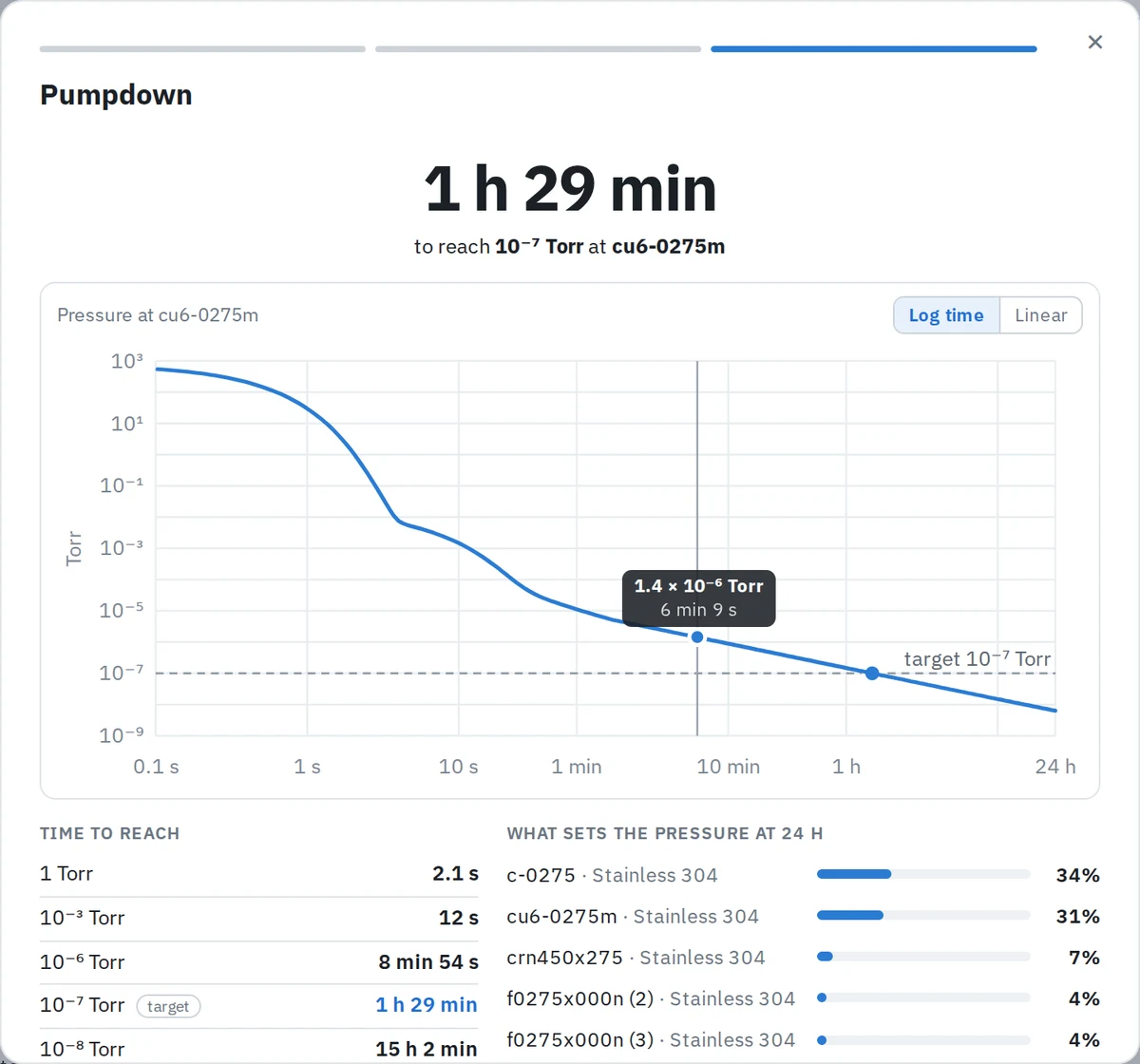
From atmosphere to base pressure: roughing with your backing pump, the turbo spinning up, and the long outgassing tail that determines final pressure.
- Time to 1 Torr, 10⁻³, 10⁻⁶ and your own target
- Outgassing by material, unbaked or baked, plus a leak rate
- Which parts set your base pressure, so you know what to change
A bill of materials that includes the hardware
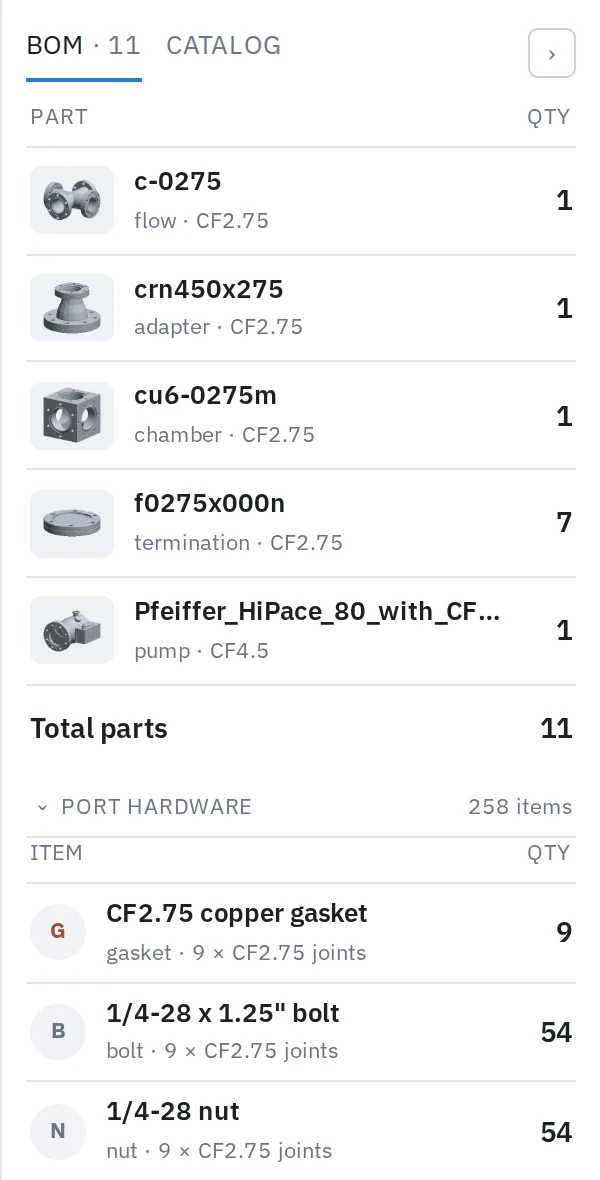
Every joint needs a gasket and a set of bolts, nuts and washers. Track them automatically in the BOM.
- Parts list with quantities
- Copper gaskets, bolts, nuts and washers per joint size
- Auto-convert to cart, PO, PDF report.
How it works
Pick a starting point
Choose a chamber to build around, or a pump to build from.
Snap on parts
Click open flanges to add crosses, tees, reducers, valves, gauges and blanks until every port is sealed.
Simulate and share
Run pumping speed and pumpdown in about a second, then save the design and its report to your account or export them.
Built from a real parts catalog
 CF 2.75″ 6-port chamber
 CF 2.75″ 4-way cross
 CF 2.75″ tee
 CF 4.5″ to CF 2.75″ reducer
 CF 2.75″ angle valve
 Pfeiffer HiPace 80 turbomolecular pump (CF 4.5″)
Start with a chamber or a pump
Build your system, seal it, and see how it will pump down.
Open the assembler